Image Map
Showing posts with label try-outs. Show all posts

Tuesday, November 12, 2013

2/4 Tuesday - Concert Speaking Parts, Frosty the Snowman


Yet again I'm going to try to join Steph's 2/4 Tuesday. I don't know if she will be holding it tonight, but I'm going to blog about my 2-4 ideas I'm using in my classroom this week and if she adds a blog post I'll link it here.

1)Picking Speaking Parts
I have been working on Holiday concert music with my students the past few weeks. Two weeks ago, I shared how I prepare students for the try-out process. Last week, I shared how I 'grade' the try-out process. This week I wanted to show how I actually pick my student speaking parts.

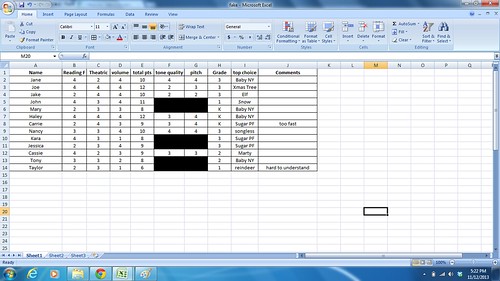
After try-outs last week I put all the scores into an excel spreadsheet with names of students and their scores. Here is an example of what that looks like:
Screenshot 2013-11-12 17.22.02
I had the 'Total Points' column add up the number of points for each student's speaking try-out. You can do this by putting this formula into the column =SUM(B2:D2) you should change the bolded numbers to be the actual columns and rows you want added together. For example the first student had scores in B2, C2, and D2, so your formula would be the same as written. However, the second students would have scores in B3, C3, and D3, so the formula would change to =SUM(B3:D3). This really saves you time because you don't have to add them all up yourself. (I'm a math wiz, but I still would not want to add up 96 of these...)

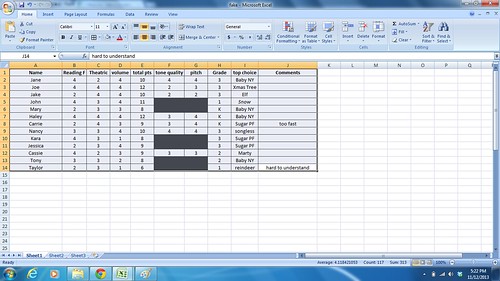
After putting in all the scores you can then sort your entries by the total of points each student achieved. To do this highlight EVERYTHING.
Screenshot 2013-11-12 17.22.29

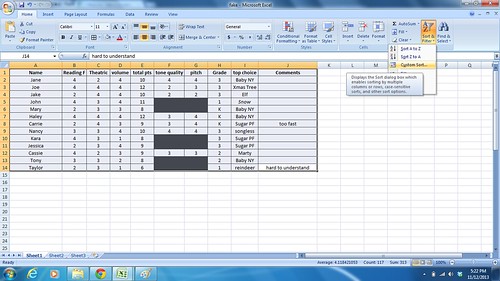
Click the sort & filter button toward the top right hand corner of your screen:
Screenshot 2013-11-12 17.22.46

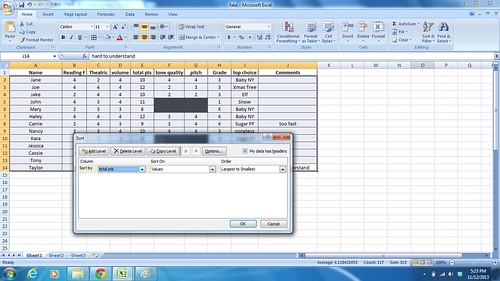
Click custom sort... (if you don't click custom sort it will sort automatically by name, which is not helpful.) Change the sort by to the column you want and then choose largest to smallest. It will automatically put all the high scores to the top and the low scores to the bottom:
Screenshot 2013-11-12 17.23.20

After sorting I give all the students with 12's their first pick and then move on to the 11's. As parts are given students may not get their first choice, but if they were open to any part they will get a part that is open. The trickiest part is when I get down to just one or two parts and I have 9 kids with that number of points. Then I choose based on grade level, classroom behavior, and/or random draw from a hat. Either way I try to stay as unbiased about my decisions as possible.

Next week I'll talk about how I inform parents about costuming, concert decorations, concert times, etc.

2) Frosty the Snowman

I love using books in my classroom as often as possible. That is why I was super excited to get Frosty the Snowman from the school book fair. Not only is it a cute book, but it is a great way to add visuals to the song Frosty the Snowman. My little ones are learning this song for the Holiday Concert and we have been talking about how Frosty the Snowman is actually a story. After listening to the song my students put together a 'story line' in the order it happened. Having the book today was a great way to reinforce this concept.
Tuesday, October 29, 2013

2/4 Tuesday - Halloween Rap and Concert Prep

It is Tuesday again, which means 2/4 Tuesday! This has been a rough day for me, so this is probably the best part of my day.

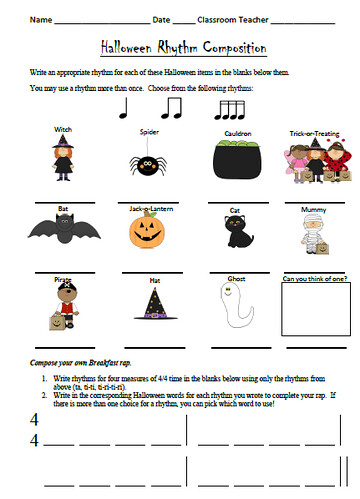
1) Halloween Rap Using Ta, Ti-ti, and Ti-ri-ti-ri:
halloweenpicture

My 3rd graders used their new knowledge of ti-ri-ti-ri to create their own Halloween Raps. This is very similar to the freebie I offered here, but this one adds in ti-ri-ti-ri (you can get just this worksheet for free --->here. Please rate it if you get a chance!). My students got one half hour period to work, plus 15 minutes a second day. At the end of the day my students got to share their compositions for the class and they had a great time!

2) Holiday Concert Try-Outs:
It is hard to believe, but I started Holiday Concert prep on Monday. It may seem far off, but when you only see some of your classes once a week you have to start early. I started this week by introducing the music and talking about my try-out process. Try-outs will be held next week and students that want a speaking part must prepare for try-outs by taking home the one page script I sent them home with. Then, next week, I pick students to read their part aloud for the class. I'll discuss more about my try-outs next week, but for now I'm sharing the short letter I send home to parents about my try-out process. I try to make it clear what I look for from each student during try-outs. You can download the file by clicking the link below:

Holiday Concert Try-Out Letter

3) Holiday Concert Smartboard Files for Kindergarten and 1st Grade:
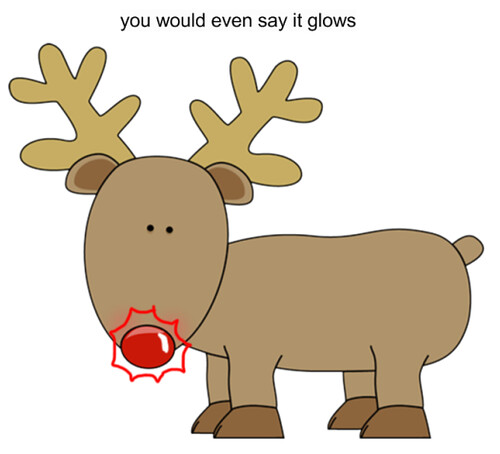
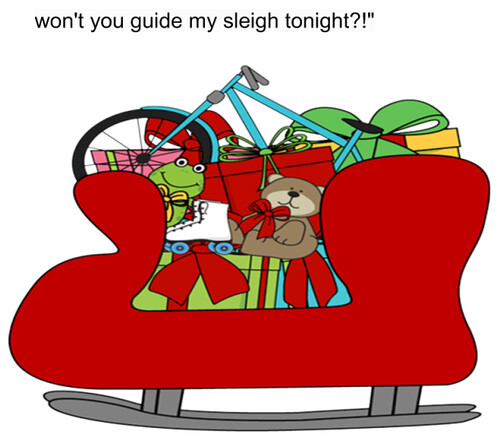
smartboard1smartboard2
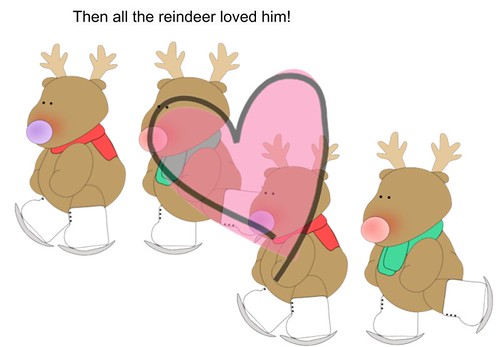
smartboard3smartboard4
smartboard5

3 years ago, I started to make Smartboard Files with pictures for my little ones. This helped my students who could not read, by being able to connect the words through pictures. The Kindergarten teachers and 1st grade teachers at one of my schools really enjoy these and ask for them each year. One teacher in particular said that it really makes it easier for her, and the kids thought it was awesome that she had the same file I do. You can see a few picture above of what this sort of looks like. (Clip art used in this file is from My Cute Graphics.)

One final note:
My Halloween Freebie was such a hit that I decided to put together a bundle for Thanksgiving. If you liked the Halloween bundle you will definitely like this one! This bundle will be free for the next week (until 9:00 pm Tuesday, November 5) after that it will be $3.00 so make sure to take advantage of this offer now! You can get the bundle here.

Have a terrific Tuesday!