Image Map
Showing posts with label practice. Show all posts

Monday, March 30, 2015

More High and Low

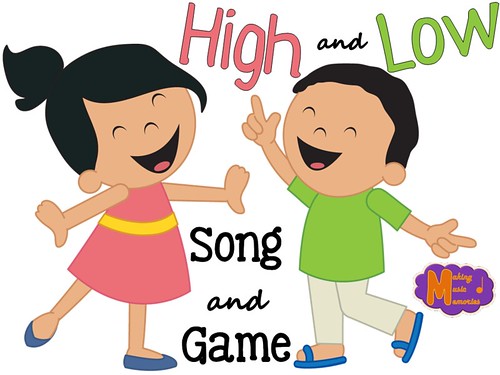
High and Low - Song and Game

Today, I'm going to talk about two high and low activities I have used in my classroom for several years now.

Five Little Monkeys
This is a great song I use for teaching high and low. Many of you probably already teach this song in your classrooms and you may even use it for teaching high and low. If not, here is how I incorporate it into the song.

We all sing "five little monkeys jumping on the bed" in our normal singing voices. When we get to the part where "Mama calls the doctor...", I have students switch into a high squeaky voice, to imitate Mama's high voice. Then on the "No more monkeys jumping on the bed!" students use their low voices.

When students get comfortable with the song, I'll start to pick students to be the mom and doctor voices alone. I'll pick one student to be the mom and one student to be the doctor. (After explaining that it doesn't matter if you are a boy or girl for either part.) This is a great chance for me to assess students actually getting into their high or low voices.
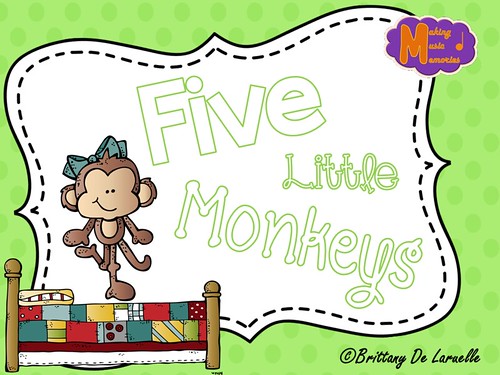
Five Little Monkeys - Cover

I just created a cute and simple file to go along with the song just for an added visual. It is free in my Teachers Pay Teachers store! You can download it by clicking on the Five Little Monkeys picture above, or just click HERE.

Monsters vs. Fairies
I also play a game using my piano that I have recently entitled Monsters vs. Fairies. The rules of the game are simple. When I play notes that are high on the piano, students reach up on their tippy toes with arms extended to the ceiling. When I play low notes on the piano, students should duck down toward the floor.
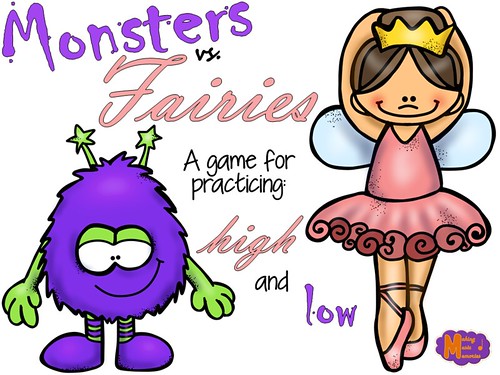
Monsters vs. Fairies

We call this game Monsters vs. Fairies because my students always say that the high notes sound like dancing fairies and the low notes sound like big furry monsters. (Oh the wonderful imagination of Kindergarteners.) This game is simple, but my students love it and will ask to play it. They especially like how I normally end the game by changing from high to low rather quickly. It gets them all giggly and happy before we move on to the next activity.

Looking for even MORE ideas for teaching high and low?
Check out my other blog entries about this topic:

Clip art credits: Kari Bolt, Educlips, MelonHeadz, Jena Hudson, Lovin' Lit
Font credits: Kimberly Geswein
Sunday, October 20, 2013

Sing a familiar song...with Halloween Rhythms?

My 3rd Graders recently learned about 4 sixteenth notes (ti-ri-ti-ri) with a variety of songs we knew and learned this last month. (Our Gallant Ship, Coffee Grows on White Oak Trees, Pick a Little Talk a Little, and The Swapping Song)

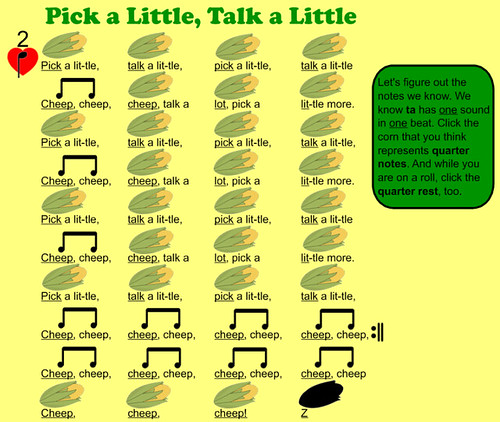
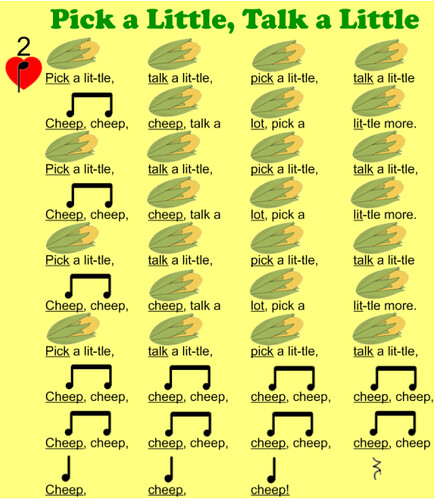
We started off the month by figuring out the rhythms we already knew, like the quarter note and eighth notes:
blogpic1
blogpic2
blogpic3

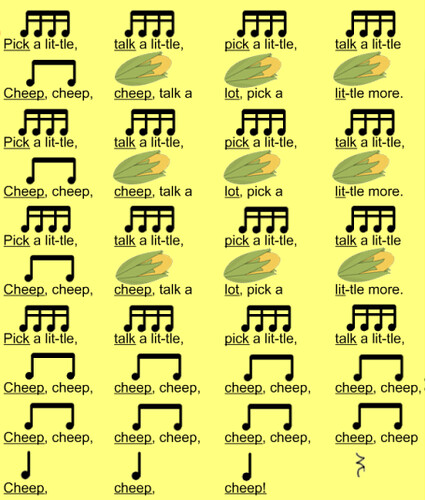
Then, as we became comfortable with the rhythms we already knew, we added in the four sixteenth note pattern - ti-ri-ti-ri (which I know a lot of you call ti-ka-ti-ka, but where I teach we are trying to be unified in our syllables and the other teachers call is ti-ri-ti-ri, hence so do I). We discussed how the rhythm has four sounds in one beat and students got a lot of practice finding the beats that represented sixteenth notes.
blogpic4

After finding the sixteenth notes we would sing the song while clapping the rhythms we knew. (We rested during the rhythms we didn't know) Then we would say the rhythm syllables instead of the words.

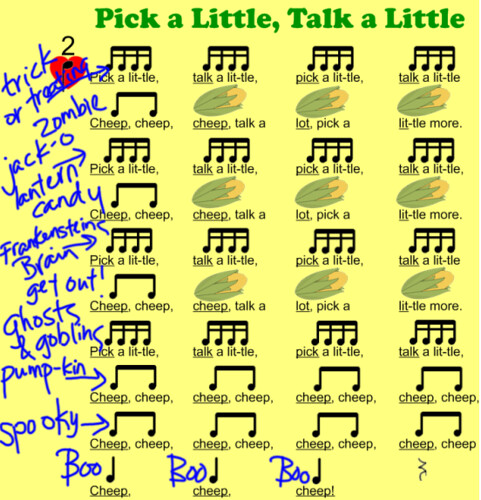
After a couple of days of finding the ti-ri-ti-ri patterns and singing and clapping them, I decided it was time for a fun challenge. First, we took one of our songs we have been singing that uses ti-ri-ti-ri. (You could pick any song, but we picked Pick a Little, Talk a Little.) Then, instead of singing the words or rhythm syllables we came up with Halloween related words to fill in the notes with. For example one line of ti-ri-ti-ri's was Trick or Treating, one line of ti-ti's was candy, and one line of ta's was boo! Each line got a new word or words to fill in the notes we knew. Then we sang the song with the new Halloween theme. It was a lot of fun and the kids were laughing and having a great time by the time we were through.

Here is an example of what it looked like:
HalloweenPick


For those that have a hard time seeing it, it says:
Trick-or-Treating, Trick-or-Treating, Trick-or-Treating, Trick-or-Treating,
Zombie! (rest) (rest) (rest)
Jack-o-lantern, Jack-o-lantern, Jack-o-lantern, Jack-o-lantern,
Candy! (rest) (rest) (rest)
Frankenstein's brain, Frankenstein's brain, Frankenstein's brain, Frankenstein's brain,
Get OUT! (rest) (rest) (rest)
Ghosts and goblins, ghosts and goblins, ghosts and goblins, ghosts and goblins,
Pumpkin, pumpkin, pumpkin, pumpkin,
Spooky, spooky, spooky, spooky,
Boo! Boo! Boo! (rest)


Tuesday, October 15, 2013

2/4 Tuesday - 2 Techie Tips!

Welcome back for another 2/4 Tuesday! I'm so glad that Steph is still running this. It really helps me stay on track and helps me post at least once a week.

Today, I wanted to talk about two Techie Tips that I don't know what I would do without:


The first one is using Dropbox. You can see it by going to http://www.dropbox.com. This file sharing service is completely free and allows you to save files to the internet. You can also connect your files to your computer at school, your computer at home, your smartphone, and your tablet. This is a serious lifesaver for someone who teaches at two different school like I do. I can save my lesson plans, my SMARTboard files, and everything else! It is so nice to be able to create, edit, and save files from any of my computers and not have to worry about emailing the files to myself, carrying around a usb drive, or anything else. Especially because it is so easy to forget and then you suddenly don't have the files you need.

My second techie tip is for teachers that use a lot of SMARTBoard files, Powerpoints, Websites, etc. I learned this from a colleague a couple years ago and it really helps cut down on the amount of prep I have to do from class to class. Here is how it works:
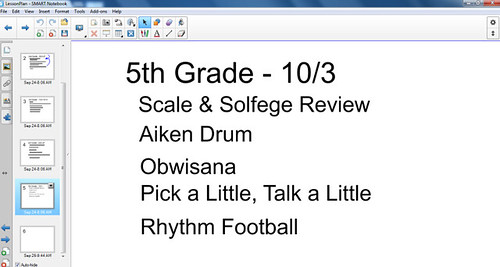
  1. Create a new SMARTboard file that I normally label as Lesson Plans, but you could label it as anything you want.
  2. Create a page for each of your classes. This could be one for each class or one for each grade, just depends on how detailed you want it
  3. List out the activities you are going to use for each class. (Make sure that each one is a new text box)
    listedactivities
  4. Now that you have the activities listed out it is time to link them up!
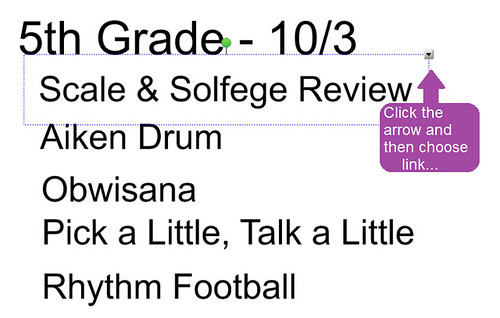
  5. Click on the arrow and press 'Link...'
    clickarrow
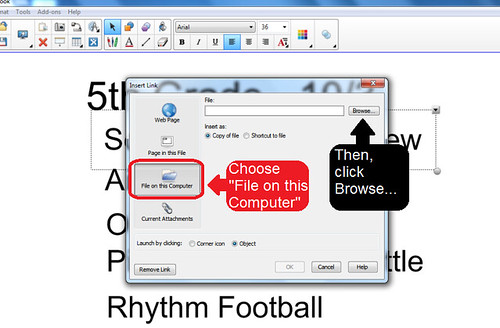
  6. Click 'File on this Computer' and then 'Browse...' for the file you need
    fileonthiscomputer
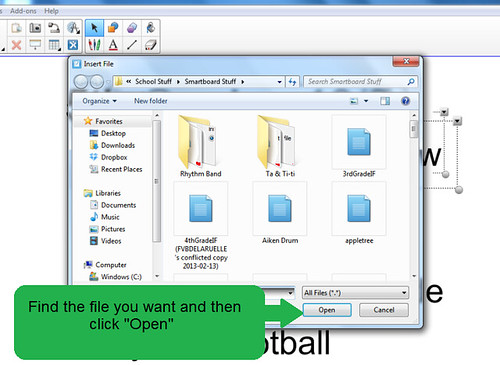
  7. Once you find the file you need clip 'Open'
    open
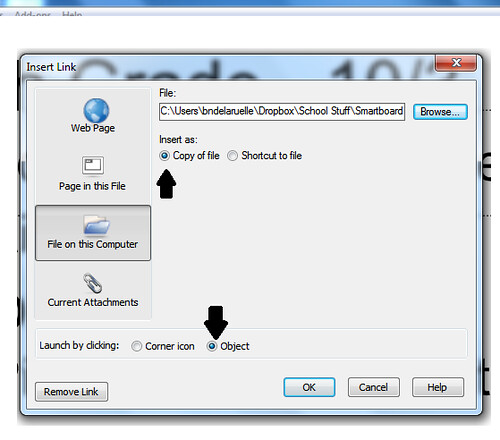
  8. Choose between 'Corner of Object' and 'Object'. I normally choose 'Object' which links the words to the file, but if you click 'Corner of Object' you will see a little paperclip in the corner. You also need to choose between 'Copy of file' and 'Shortcut to file'. Make sure to choose 'Copy of file' for this. It will open much faster!
    objectandcopy
  9. Continue these steps until all your files are linked up to your original lesson plans
Now all you have to do is open your Lesson Plan file and all your SMARTBoard files will be linked to it. This will save you tons of time as you won't have to be searching for all your files all the time. You could also link up to a worksheet that you are going to do, a PowerPoint you want to show, and even link to a website if you are going to show a video. The only change you have to make for a website is you won't be clicking 'File on this Computer' but instead 'Webpage' and then just put in the URL! I just LOVE technology. (Unless it is being a bugger!)

In totally unrelated news, I have gotten to 11 followers on my Teachers Pay Teachers account and over 80 of you have downloaded my Halloween Rhythms Freebie from Sunday! I'm so glad to see so many of you taking advantage of this fun composition/rhythm practice work. My 1st and 2nd graders have been playing with these the last few days and they are really enjoying it. Be sure to rate the product when you get a chance! I would love to know what you think and if you think there needs to be some improvements. If you haven't picked up this free download you still can at my Teachers Pay Teachers account HERE!

Tuesday, October 1, 2013

2/4 Tuesday - Rhythm Practice


For this weeks 2/4 Tuesday I thought I would focus on rhythm practice. This time of year I review the rhythms students already know, plus I start introducing new rhythms. To go along with this I love to have games, activities, and apps to reinforce these concepts. Last year, I shared a game that I created for this purpose called Rhythm Concentration. You can learn more about that game HERE. However, here are a few more resources I have found.

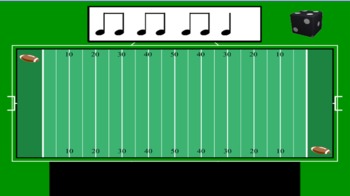
Rhythm Football
This is a fun interactive SMARTboard file that you can get for FREE at TeachersPayTeachers. I found this game last year and my students love it. I have found that any rhythm activity that includes a sport in it is a great way to get boys excited to practice their rhythms. Unfortunately, if you do not have a SMARTboard you will not be able to have access to this file.

Poison Rhythm
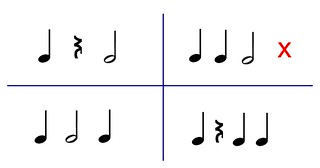
poisonrhythm
This is a simple game and quite easy to adapt to any grade and any rhythms you want to work with. You start by writing four rhythms on the board, as depicted in the picture above. Then I mark one with an 'X' (somtimes I allow the students to pick the poison rhythm instead). The 'x' represents the poison rhythm. I clap one of the four rhythms and students should echo me by clapping the rhythm back. If I clap the poison rhythm they do NOT clap. The game is set up as teacher vs. student, so when I clap the poison rhythm either the students get a point (for not clapping) or I get a point (because they clapped the rhythm - even if it is just one student!). Sometimes I have classes that do not participate or just stop clapping all of the rhythms. When this happens I tell them I get points for them NOT clapping non-poison rhythms as well. This normally solves that problem.

Rhythm Cat
Rhythm Cat is an Ipad App for practicing rhythms. It is actually kind of fun even for a teacher. How it works: Students look at the rhythm and push the green button as they play the rhythm. When they play the rhythms correctly the notes light up green and they get to move on to the next level. If they don't hold the button down at the right time or long enough, etc. the notes turn red and if they miss a lot of notes they do not get to continue on to the next level. (click the picture to find more information about it)

Monkey Drum
Monkey Drum is another Ipad App for rhythm practice. This can be just a cute app for students to create and play with, but how I use it in my classroom is for rhythm practice. At the end of a class I'll pick students to play rhythms on the monkey drum app. After they play the rhythm the monkey will play the rhythm back. This is a great way for me to assess if students can play the rhythms correctly and to assess if other students can HEAR mistakes in a rhythm. It is a very cute free app, so there is no reason not to at least check it out. (click the picture to find more information about it)